
A Basic Introduction
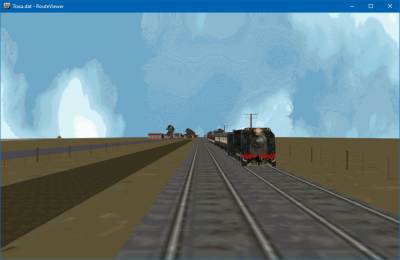
One of the first ‘true’ graphical train simulators with a large library of user created content was the DOS based simulator ‘Mechanik’
This sim was created in 1997 by two Polish college students, Aleksander Madej & Robert Kowalski.
One of the original aims of Michelle, the original developer of OpenBVE was to move this simulator beyond its roots, and to support content from a variety of other simulations.
Whilst this has perhaps taken somewhat longer than was planned, adding Mechanik routefile support to OpenBVE is a small step along this road.
Getting Started
Mechanik routes are very similar to BVE format routes.
First, download your route, and extract it to it’s own directory, in a place you can easily find. For this example we’ll use Terra Australis
Extract our route to C:\Mechanik\Australis
All you should now need to do is to browse to this directory in the OpenBVE route selector- The game will automatically filter out the non-route files, and display the actual routefile, which is Trasa.dat
Select an appropriate train from the train browser and enjoy!
If you’d prefer to experience the ‘real’ thing, instructions for that are available here: https://www.bvecornwall.co.uk/wordpress/mechanik/
Known Flaws
Much like many original BVE2 routes, those created for Mechanik were not designed to be viewed from the exterior of the train.
Station names and arrival times were also not supported. The routefile parser will add these where they were provided by the original author in the readme, but unfortunately many routes are missing these altogether.
There are also some (hopefully relatively minor) graphical glitches, but for the most part, Mechanik routes are now playable for future generations to enjoy!